
Blog Categories

Bitaxe Esp-Miner Yazılım Yükleme Rehberi
Bu rehber, Bitaxe Gamma 601 cihazınızdaki yaygın hataları gidermek için sistemi nasıl sıfırlayacağınızı ve ESP-Miner yazılımını (firmware) nasıl güncelleyeceğinizi anlatır. Güncelleme sonrası AxeOS yazılım ayarları üzerinden tüm ayarları gerçekleştirebilirsiniz.

Bitaxe Bakımı ve Koruma Rehberi
Bu kılavuz, Bitaxe donanımınızın temiz, serin ve verimli çalışmasını sağlamak için yapmanız gerekenleri adım adım anlatır. Bitaxe cihazınızın performansını artırmak ve ömrünü uzatmak için detaylar burada.

Bitaxe 601 Gamma Kurulm ve Ayarları
Bitaxe 601 Gamma 1.2TH/s BTC solo miner kurulum ve yapılandırma ayarları. Bitaxe 403 Supra, Bitaxe 702, Supra, Bitaxe GT Turbo donanımı kurulum ve yapılandırma ayarları hakkında detaylar.

Bitaxe Installation on Computer
Installation of your Bitaxe Bitcoin hardware 204 Ultra, Bitaxe Gamma 600, Bitaxe Gamma 601 and 401 Supra devices on PC computers with Windows and Linux operating systems via web browser. Installation steps of Bitaxe mining devices on PC and web browser.

Bitaxe Android Installation
Installation of Bitaxe 401 Supra, Bitaxe Gamma and Bitaxe 204 Ultra Bitcoin hardware with Android operating system smartphones. Installation steps of Bitaxe mining devices with Android phones.

Bitaxe Installation with iPhone
Bitaxe Ultra 204, Bitaxe GAMMA 601, Bitaxe BM1370 Gamma 601 and Bitaxe Supra 401 Series Bitcoin device installation. Installation steps of Bitaxe Bitcoin miner hardware on iPhone series phones.
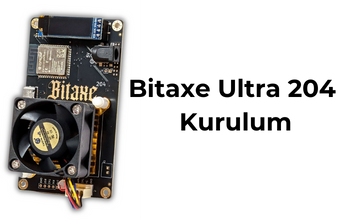
Bitaxe Ultra 204 Installation
With Bitaxe 204 Ultra, you can quickly connect directly to your pool via WiFi to start mining Bitcoin without an external computer and start mining immediately. The Bitaxe 204 Ultra is simple to install.

Bitaxe Supra 401 Installation
Manage everything via Wi-Fi and browser! Easily connect your Bitaxe to your network via Wi-Fi and easily set up via the user-friendly web interface in your browser. The entire setup takes only 2 minutes and is a breeze. WIFI setup 2-minute setup Simple Management After Installation